
Student records
Student management software. Keep school records together.
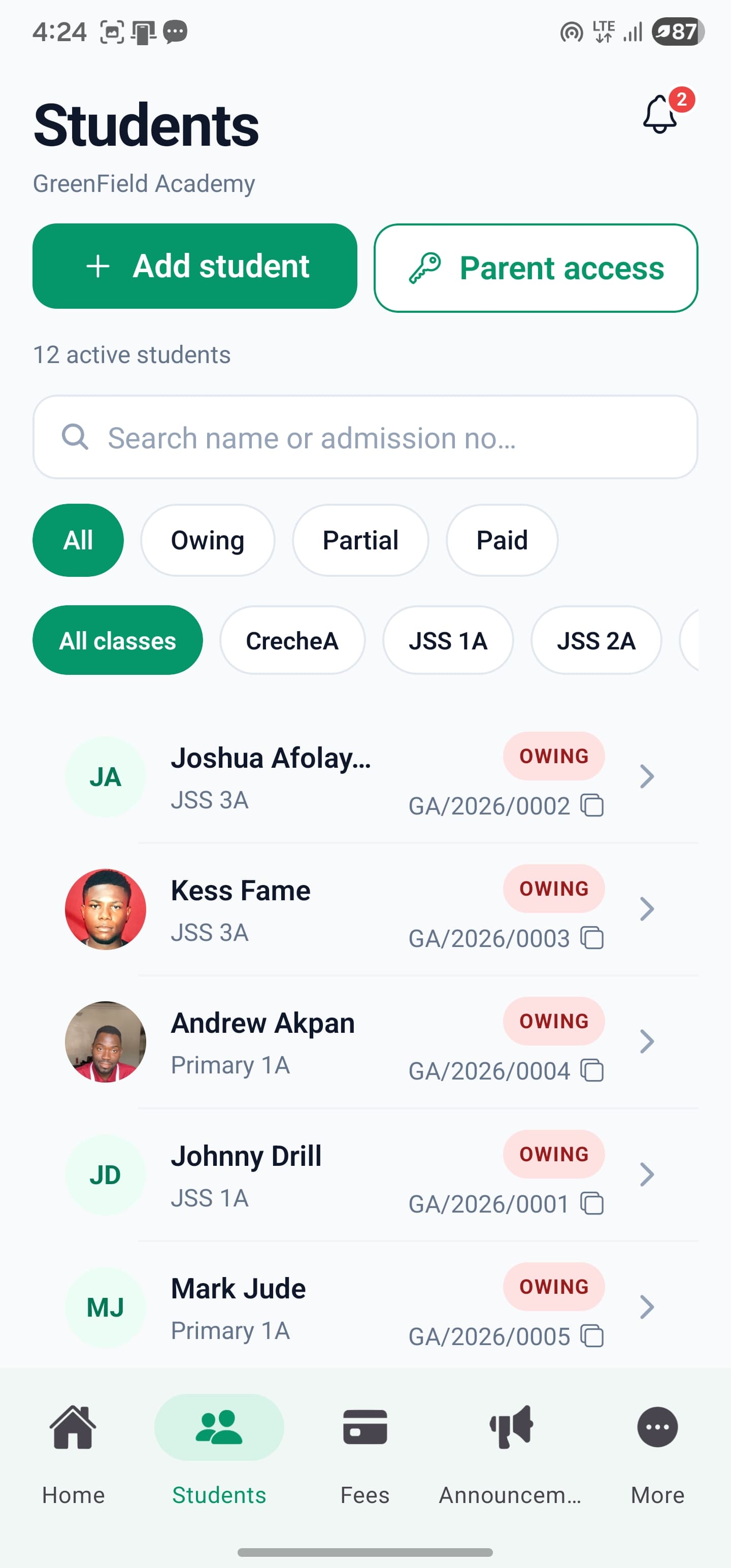
Organise student records, class placement and guardian links in one school workspace. SkoolDrive’s student management system lets authorised staff add and update records, while keeping subject-teacher viewing separate from class-teacher responsibilities.
Mobile app + web portal
The everyday challenge
Good school records begin before the first report card.
An incorrect class or guardian link can create confusion across attendance, fees and results. Establish the right student record early, then maintain it through the school’s authorised workflow.
A clear way through
Here’s how it works.
- 01
Prepare the class structure
Confirm school sections, classes and the academic context before adding students. Use names your staff can recognise consistently.
- 02
Add and check student details
An administrator or authorised class teacher adds the student to the correct class. Verify spelling and relevant details rather than treating a quickly filled form as a finished record.
- 03
Link guardians deliberately
Create or select the intended guardian and explicitly link the child. Provide parent access through the secure code workflow after checking the relationship.
Built around your work
Viewing a student is not permission to change their record.
Subject teachers may need student information for teaching. Adding or editing students and managing guardian links are separate responsibilities, limited to the appropriate school staff and class-teacher scope.
- School administrators manage school records
- Class teachers manage authorised classes
- Subject-teaching access does not grant class administration
The details matter
Make onboarding a controlled handover.
Start with a small, checked group of records and confirm the downstream experience: class lists, attendance, results and parent access. Agree any larger data-entry needs with the onboarding team before planning a bulk migration.
- Check the correct class and academic context
- Review guardian links before issuing access
- Confirm the actual data-entry workflow during onboarding
A little more clarity
Good questions.
Straight answers.
Have a school-specific requirement?
Talk to our teamCan a subject teacher add students to every class they teach?
No. Class administration is separate from subject teaching. Teacher changes are limited to the classes for which they have the required class-teacher responsibility.
Are children automatically linked using a shared phone number?
The guardian workflow uses explicit links. Staff should verify the intended relationship instead of relying on matching names or phone numbers.
Can we upload all records from a spreadsheet?
Do not assume self-service bulk import is available. Discuss your record volume and the supported onboarding process with the team before preparing a migration.
Better connected
The next part of your school’s workflow.
Results & report cards
Compile CA and exam scores, review student results and publish report cards to parents. School result processing software for Nigerian schools.
Mobile app + web portalMobile app
Manage everyday school work from your phone. SkoolDrive’s Android and iPhone app connects results, attendance, fee records and parent communication.
Android + iPhone + companion web portalAttendance
Record class attendance, review daily registers and track attendance history with SkoolDrive’s school attendance app and web portal.
Mobile app + web portalStart with your school
See what a more connected school day looks like.
Bring your school’s biggest administrative challenge. We’ll walk through the relevant workflow and discuss a practical way to get started.