
Results & report cards
School result processing software. Ready for report day.
Compile CA and exam scores, review results and publish report cards from one school result management system. SkoolDrive helps Nigerian schools move from teacher score entry to parent access, with the school in control of publication.
Mobile app + web portal
The everyday challenge
End-of-term results should not mean starting again.
When teachers submit separate files, small changes become difficult to track. A missing score, the wrong assessment maximum or a late correction can delay an entire class. Keep scores, reviews and report cards together, with responsibilities clearly assigned.
A clear way through
Here’s how it works.
- 01
Set the right assessment model
Configure assessment components and maximum scores for the relevant class group. Primary and secondary sections can use different models; teachers work with the setup that applies to their class.
- 02
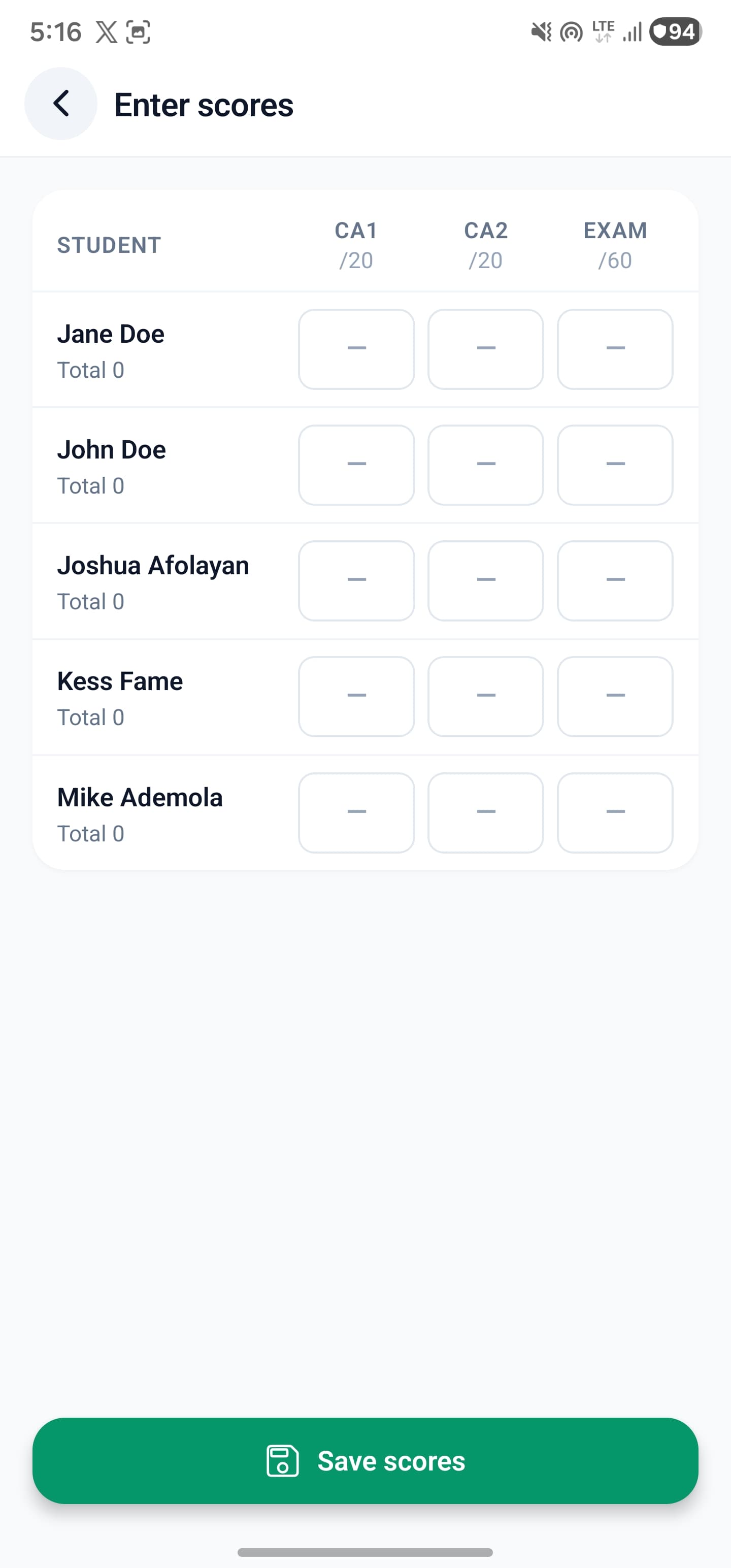
Enter scores and complete reports
Assigned teachers enter subject scores and submit them for review. Class teachers complete the wider student report, including behavioural assessments and teacher remarks.
- 03
Review, then publish
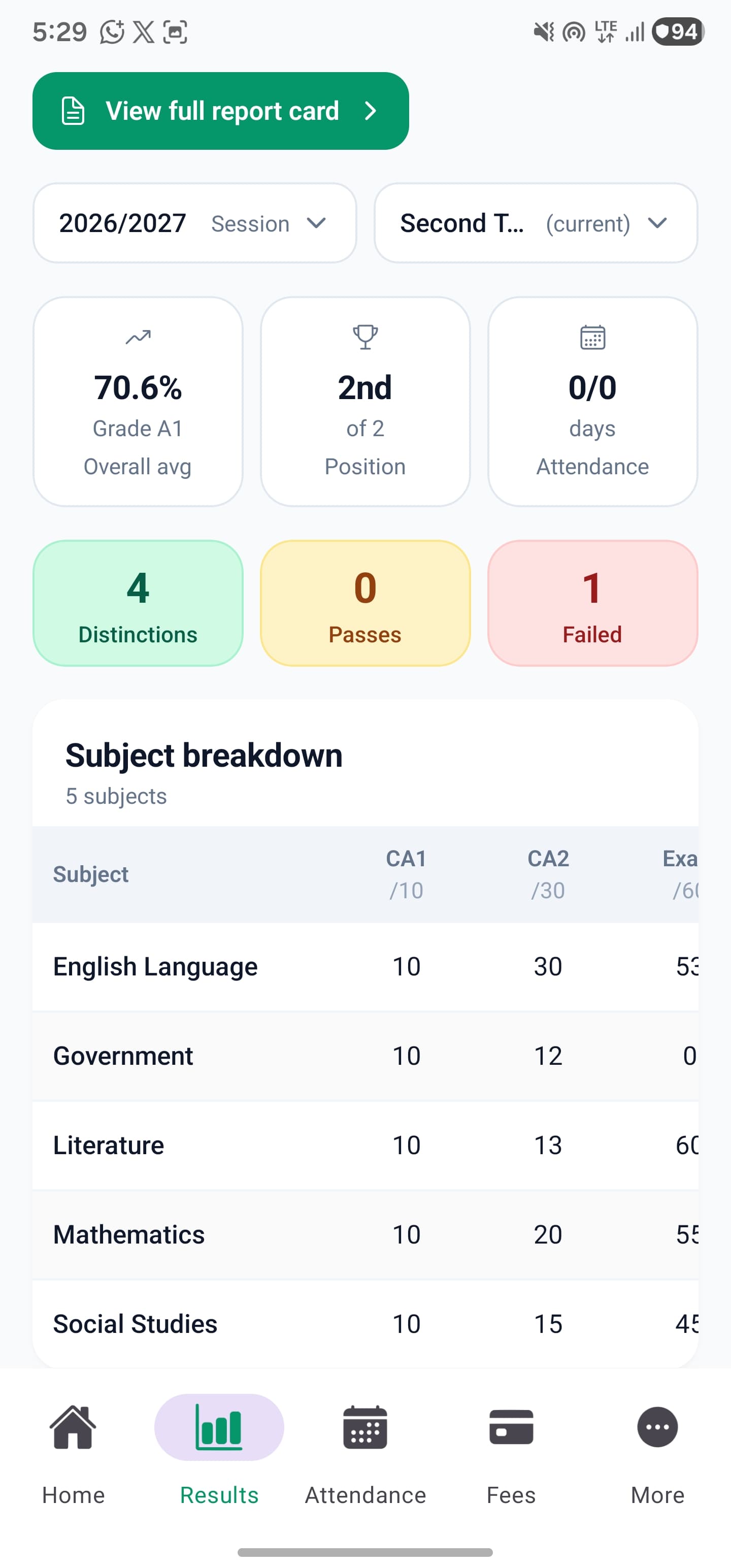
Administrators review results and add comments before publishing. Parents see the published report for their linked child, while staff can preview the report card before printing or saving a PDF.
Built around your work
Compile CA and exam scores for each school section.
Your result software should fit your school’s assessment policy. Class-group assessment settings help separate the needs of nursery, primary and secondary without making every teacher invent a format.
- CA and exam maxima follow the configured model
- School grading settings guide report output
- Review missing or incorrect entries before publishing
The details matter
Turn student results into useful report cards.
A report card is a conversation about a child’s progress. Bring academic scores, attendance, behaviours and reviewed remarks into the reporting process, then give parents a readable result they can return to.
- Subject-level scores and performance summaries
- Teacher and administrator comments
- Report-card preview, zoom, print and PDF options
A little more clarity
Good questions.
Straight answers.
Have a school-specific requirement?
Talk to our teamIs this result computing or result compilation software?
Both terms describe the workflow: teachers enter assessment scores, the system applies the school’s configured model and produces results for review and publication. You do not need separate software for each stage.
Can primary and secondary use different CA and exam scores?
Yes. Assessment models can be configured by class group, so staff use the model relevant to the pupils they teach.
Do parents see unfinished results?
The result workflow includes review and publication. Parents access published results for children explicitly linked to their account; entering a score is not the same as publishing a result.
Better connected
The next part of your school’s workflow.
Mobile app
Manage everyday school work from your phone. SkoolDrive’s Android and iPhone app connects results, attendance, fee records and parent communication.
Android + iPhone + companion web portalAttendance
Record class attendance, review daily registers and track attendance history with SkoolDrive’s school attendance app and web portal.
Mobile app + web portalQuestion Bank
Prepare question papers for school classes, subjects and topics. Review AI-assisted drafts and export question papers as PDF with SkoolDrive.
Mobile app + web portal · available access appliesStart with your school
See what a more connected school day looks like.
Bring your school’s biggest administrative challenge. We’ll walk through the relevant workflow and discuss a practical way to get started.