
Staff onboarding
School staff management. Smoother teacher onboarding.
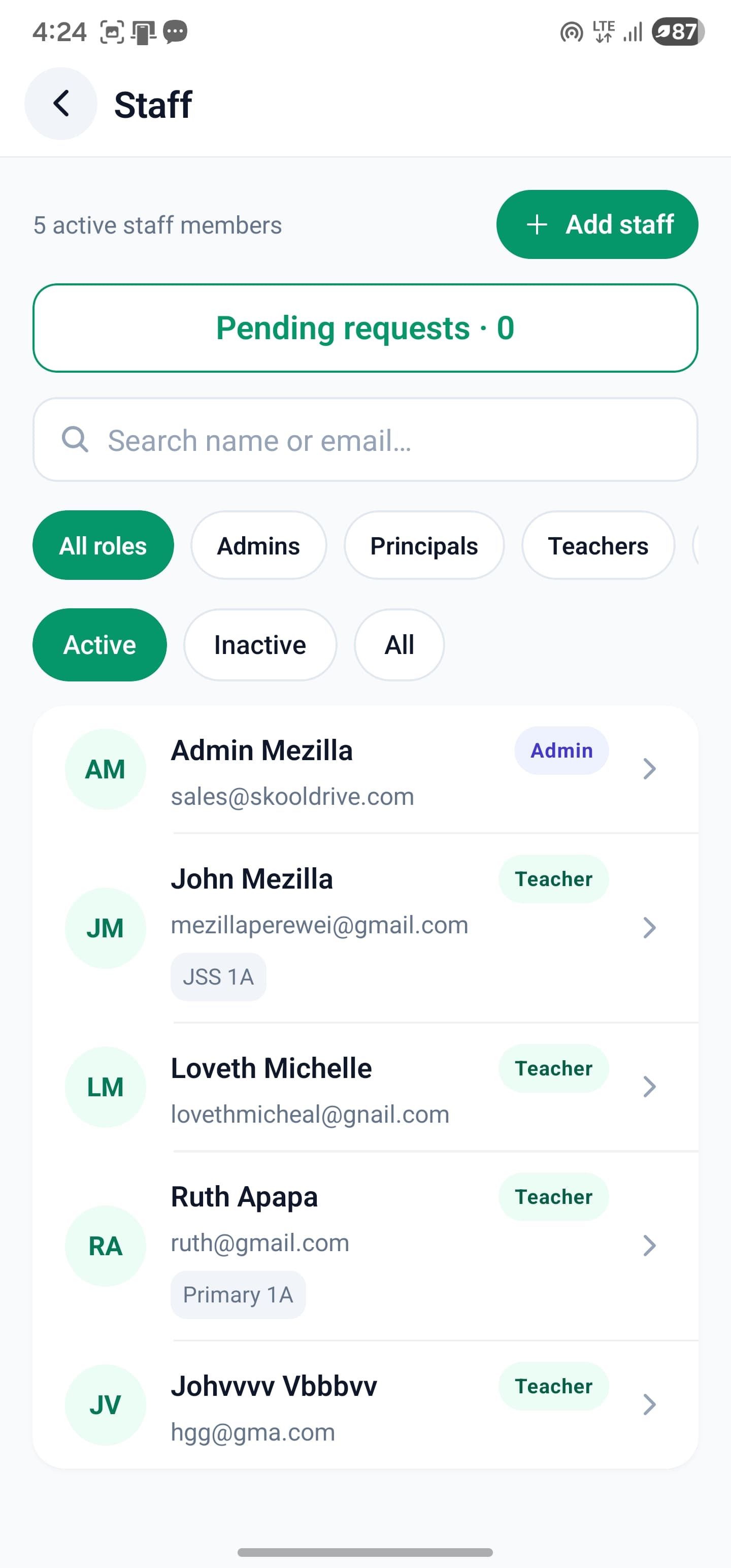
Simplify teacher onboarding with school staff management software that keeps approval with your administrator. Add staff manually or share a school-specific registration link, then review submitted details before approving an account.
Mobile app + web portal
The everyday challenge
Administrators should not have to type every detail twice.
Collecting teacher information through messages and re-entering it creates extra work and opportunities for mistakes. A school registration link lets applicants provide their details directly, while the school decides who gets access.
A clear way through
Here’s how it works.
- 01
Choose how to add staff
Use the manual form when the information is already available, or share the school’s staff registration link with the intended person.
- 02
Review the submission
The application goes to that school for approval. Check the details and intended role before accepting; submitting a form does not immediately grant staff access.
- 03
Approve and provide access
Approval creates the staff account through the normal onboarding workflow. Credentials can be emailed, with a manual copy-and-share option for the administrator when needed.
Built around your work
Give each teacher the right responsibilities.
A class teacher manages a class in a different way from a subject teacher. Set both clearly. For primary teaching, use the supported option to assign the class’s subjects to the class teacher where appropriate.
- School roles and account access
- Class-teacher responsibilities
- Subject-teacher assignments used by academic workflows
The details matter
Make the first sign-in part of onboarding.
Approval is not the end of training. Confirm the staff member can sign in, recognise their classes and find the task they need first. If an email is not received, use the authorised manual credential-sharing option and verify the recipient.
- Check details before approval
- Confirm the correct account and permissions
- Train staff on one everyday task first
A little more clarity
Good questions.
Straight answers.
Have a school-specific requirement?
Talk to our teamDoes a teacher’s registration go to SkoolDrive for approval?
No. A school-specific staff application is submitted to the school for its authorised administrator to review.
What if the teacher does not receive the credentials email?
The administrator has a manual copy-and-share option after account creation. Share credentials privately and check that the recipient is the intended staff member.
Can we still add a teacher manually?
Yes. Manual staff entry remains available alongside the invitation-and-approval workflow.
Better connected
The next part of your school’s workflow.
Mobile app
Manage everyday school work from your phone. SkoolDrive’s Android and iPhone app connects results, attendance, fee records and parent communication.
Android + iPhone + companion web portalTimetables
Build class timetables using subject-teacher assignments, check teacher conflicts and schedule parallel lessons with SkoolDrive.
Mobile app + web portalStudent records
Organise student records, classes and guardian links in one school workspace. Manage authorised updates with SkoolDrive on mobile and web.
Mobile app + web portalStart with your school
See what a more connected school day looks like.
Bring your school’s biggest administrative challenge. We’ll walk through the relevant workflow and discuss a practical way to get started.