
Attendance
School attendance software. A clearer daily register.
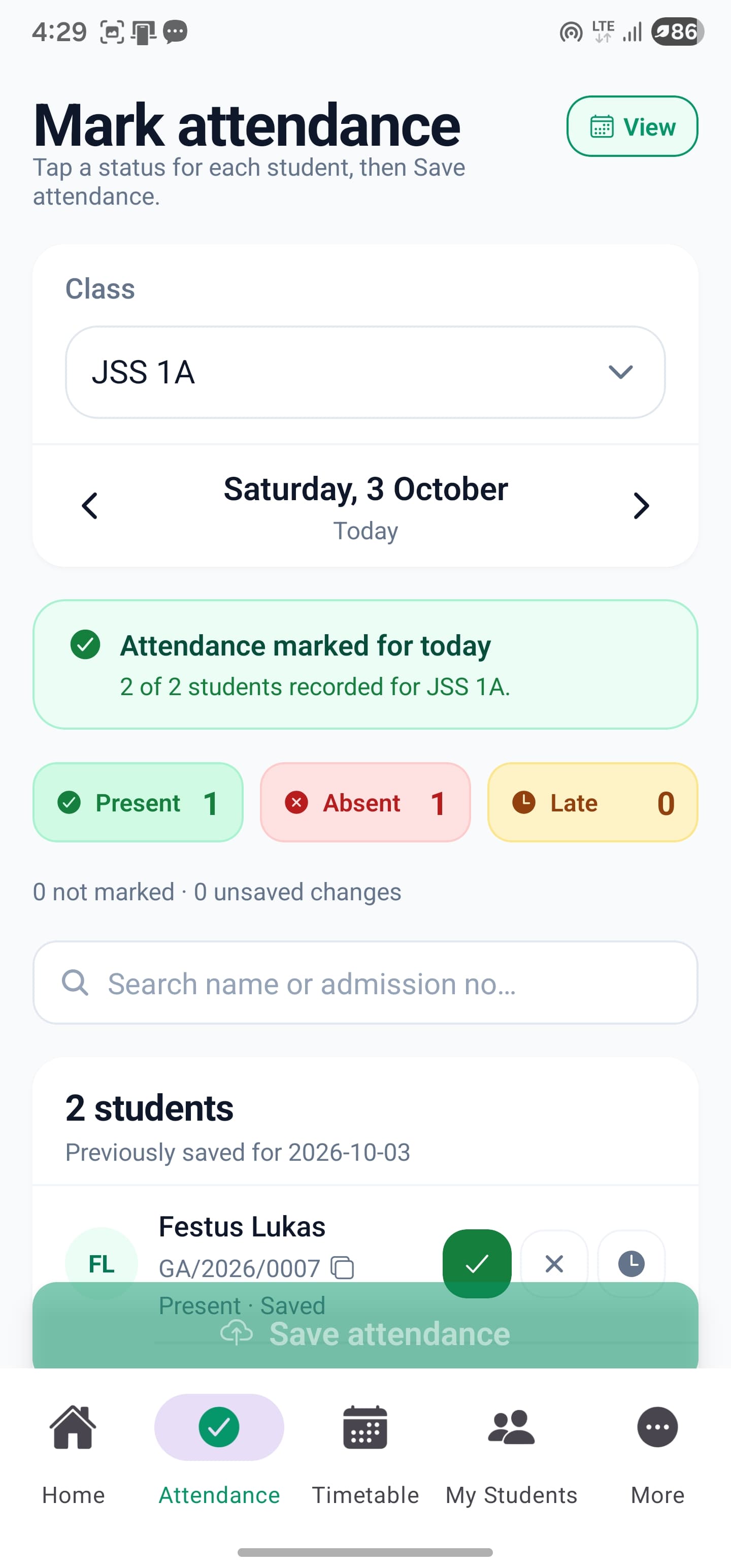
Replace scattered paper registers with a school attendance management system for class teachers and administrators. Record student attendance by class and date, review attendance history and keep marking responsibilities with the authorised class teacher.
Mobile app + web portal
The everyday challenge
A register only helps when it reflects what happened.
A class list is not the same as a completed register. Attendance needs to be deliberately recorded and checked, with a clear distinction between pupils who are present, those who are absent and records that still need attention.
A clear way through
Here’s how it works.
- 01
Assign the class teacher
Set the teacher responsible for each class. A teacher may manage attendance for more than one class when explicitly assigned as its class teacher.
- 02
Select the class and date
The teacher opens the authorised class register and records the attendance statuses. Subject teaching alone does not grant permission to mark that class’s attendance.
- 03
Review patterns, not just one day
School staff can review attendance records to follow up on absences and understand the history behind a student’s report.
Built around your work
Keep classroom responsibilities clear.
A teacher can teach Mathematics in another class without becoming responsible for its daily register. SkoolDrive separates subject-teaching access from the class-teacher responsibility for attendance.
- Use class-teacher assignments to determine access
- Select among authorised classes
- Keep date and class context visible while recording
The details matter
Turn records into a conversation.
When a child’s attendance changes, staff need context before drawing conclusions. Use the recorded history to ask the right questions and agree appropriate follow-up with the family.
- Look up past attendance records
- Check missing or incorrect entries
- Include attendance in the wider reporting process
A little more clarity
Good questions.
Straight answers.
Have a school-specific requirement?
Talk to our teamCan any subject teacher mark attendance?
No. Teacher attendance permissions are based on class-teacher assignments, not merely teaching a subject in the class.
Can one teacher mark attendance for two classes?
Yes, when that teacher is explicitly assigned as the class teacher for both classes.
Does this replace speaking to parents about an absence?
No. It gives staff an organised record for follow-up. The school remains responsible for checking the reason and deciding the appropriate response.
Better connected
The next part of your school’s workflow.
Results & report cards
Compile CA and exam scores, review student results and publish report cards to parents. School result processing software for Nigerian schools.
Mobile app + web portalTimetables
Build class timetables using subject-teacher assignments, check teacher conflicts and schedule parallel lessons with SkoolDrive.
Mobile app + web portalStudent records
Organise student records, classes and guardian links in one school workspace. Manage authorised updates with SkoolDrive on mobile and web.
Mobile app + web portalStart with your school
See what a more connected school day looks like.
Bring your school’s biggest administrative challenge. We’ll walk through the relevant workflow and discuss a practical way to get started.