
Teaching Library
Lesson notes and schemes of work. One teaching library.
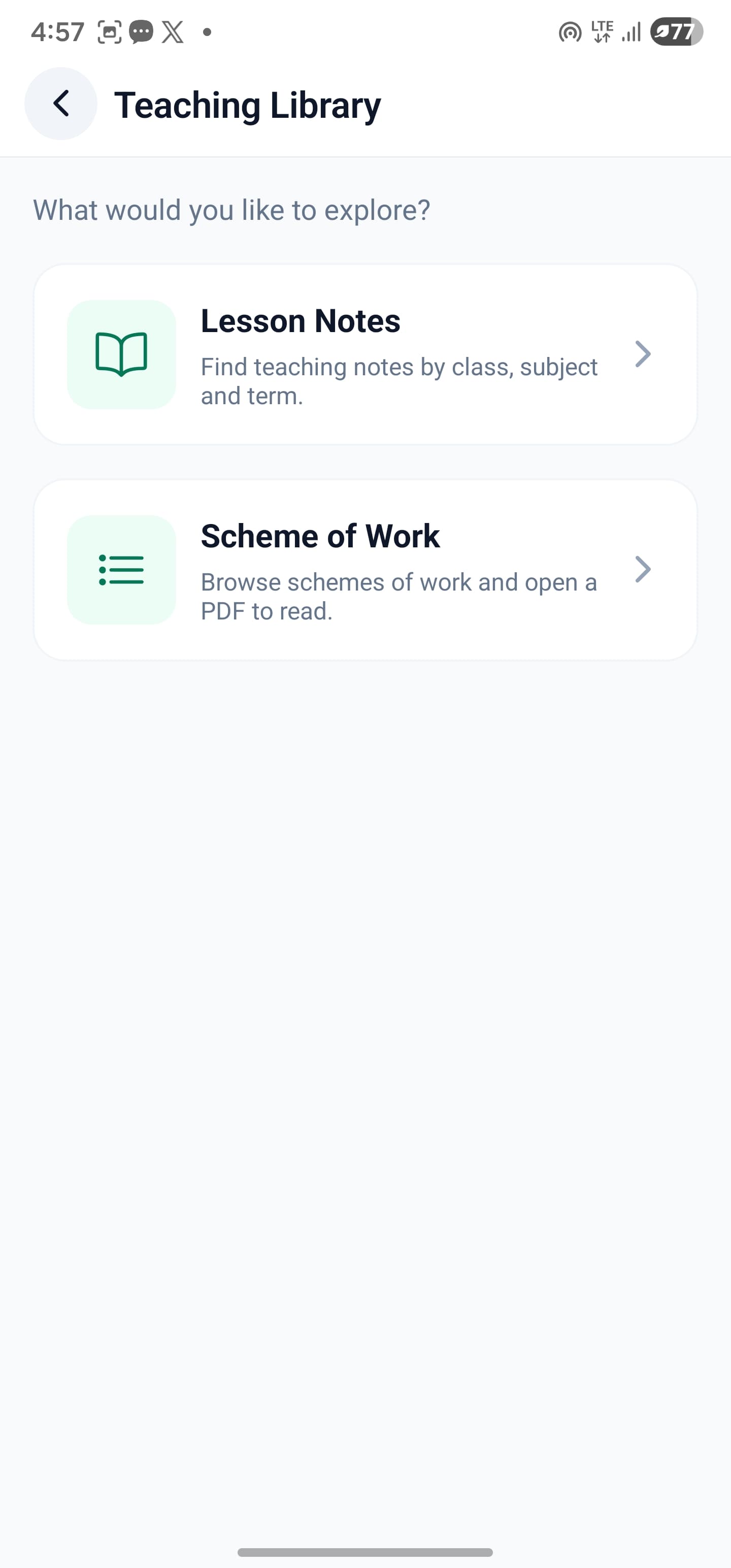
Browse published lesson notes and schemes of work in SkoolDrive’s shared Teaching Library. School staff can find available PDF teaching resources and read them in the app or web portal, then check their suitability for the class and teaching period.
Mobile app + web portal · staff resource
The everyday challenge
Finding a document should not interrupt the whole lesson-planning process.
Teachers often need to refer to a topic outline or a teaching note before preparing a lesson. A shared library makes published material easier to find, while leaving the school responsible for checking whether it matches its teaching requirements.
A clear way through
Here’s how it works.
- 01
Open the Teaching Library
Enter through Resources and choose Lesson Notes or Scheme of Work. The resource is available to school personnel rather than parent accounts.
- 02
Find a relevant material
Use the available lesson-note search and category filters, or browse the scheme-of-work PDF list. Titles and descriptions are supplied when the material is published.
- 03
Read and evaluate
Open the PDF in the reader and scroll through the material. Check its relevance and source information before adopting it for your class.
Built around your work
A shared catalogue, independent of school setup.
Library class levels and subjects are library categories. They do not alter a school’s classes, teacher assignments or assessment model. That means staff can look beyond their current assignment when preparing a lesson.
- Super-admin publication and curation
- Lesson-note categories managed for the catalogue
- Schemes of work listed as titled PDF materials
The details matter
Useful reference material still needs a teacher’s judgement.
Available documents depend on what has been uploaded and published. A listed resource is not a blanket guarantee of official approval, completeness or alignment with every state’s current scheme.
- Read the title and description before use
- Check suitability for your school and teaching period
- Read in the app without a download button
A little more clarity
Good questions.
Straight answers.
Have a school-specific requirement?
Talk to our teamDoes the library use our school’s own subjects and classes?
No. The shared catalogue has independent categories managed by the SkoolDrive super administrator.
Can teachers upload materials to this shared library?
Publication in this library is controlled by the super administrator. School users browse the materials made available to them.
Is every class, term and subject guaranteed to have material?
No. Coverage depends on the documents currently published. Check the catalogue before relying on a specific resource for planning.
Better connected
The next part of your school’s workflow.
Mobile app
Manage everyday school work from your phone. SkoolDrive’s Android and iPhone app connects results, attendance, fee records and parent communication.
Android + iPhone + companion web portalSkoolDrive AI
Use SkoolDrive AI for question-paper drafts, teaching support, reviewed report comments and role-aware assistance. Keep staff in control of decisions.
Mobile app + web portal · available access appliesQuestion Bank
Prepare question papers for school classes, subjects and topics. Review AI-assisted drafts and export question papers as PDF with SkoolDrive.
Mobile app + web portal · available access appliesStart with your school
See what a more connected school day looks like.
Bring your school’s biggest administrative challenge. We’ll walk through the relevant workflow and discuss a practical way to get started.