
SkoolDrive AI
AI tools for teachers and school staff. Start with support.
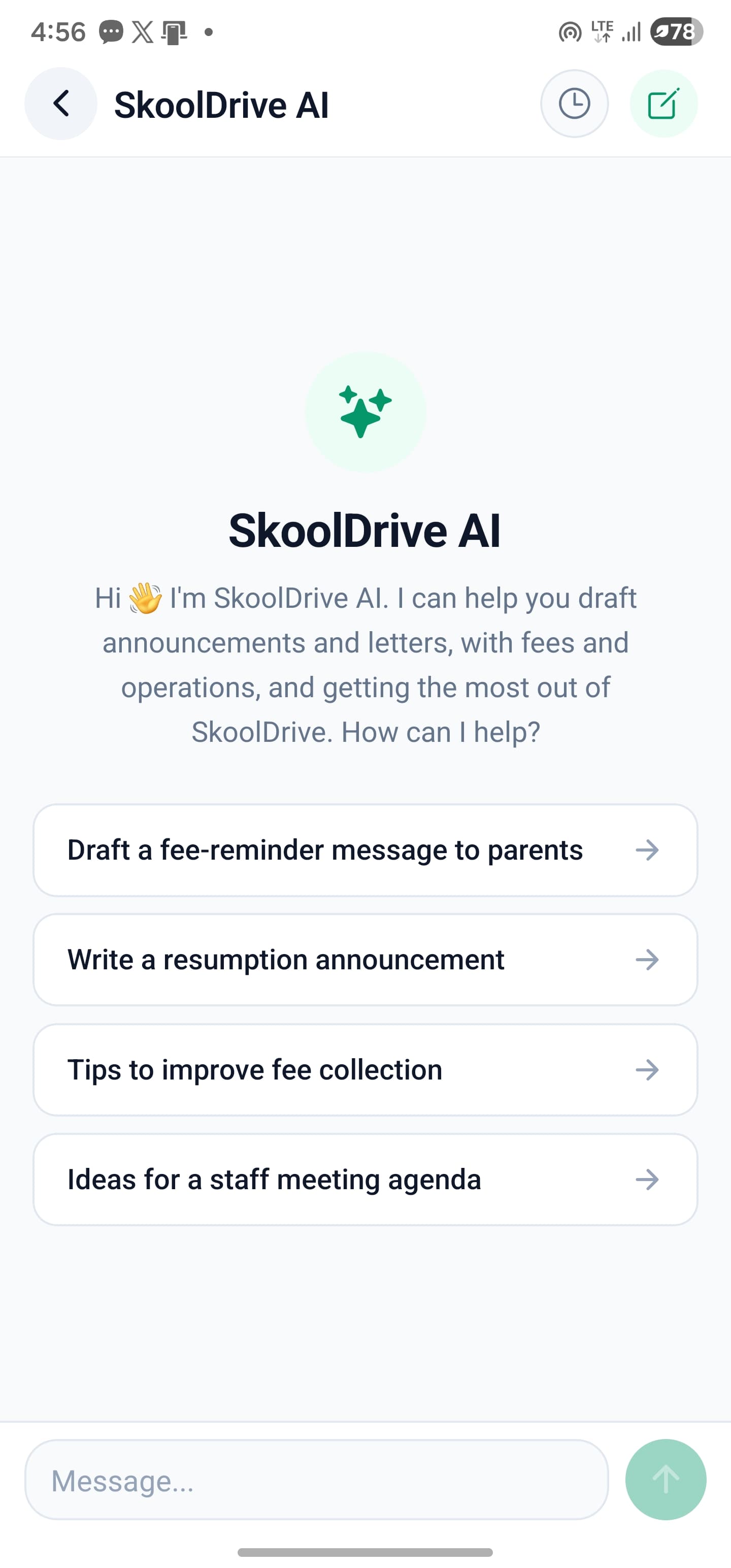
Use SkoolDrive’s AI teaching assistant to draft questions, prepare report comments and get support with available school information. These AI tools help teachers and administrators get started, while staff review the output and remain responsible for decisions.
Mobile app + web portal · available access applies
The everyday challenge
Teachers need a starting point, not another task to supervise blindly.
Writing questions and thoughtful comments takes concentration. AI can help prepare a first draft, but it cannot replace checking the curriculum, understanding a learner or making a school decision.
A clear way through
Here’s how it works.
- 01
Start with a specific task
Choose the relevant AI feature and give a clear instruction. For a question paper, specify class, subject and topic rather than asking for something generally suitable for everyone.
- 02
Use available context carefully
Supported school-data assistance works within role and account access. Not every screen or record is automatically available to every AI conversation.
- 03
Review before using the output
Check the answer, revise language and verify facts. Teachers and administrators remain responsible for questions, comments and any action they take.
Built around your work
Put AI beside the work it can support.
Question preparation and reviewed report comments are practical places to start. A generated draft should be editable and understandable, with the final decision staying with the educator.
- Draft questions around a chosen topic
- Help formulate appropriate report comments
- Use teaching assistance as a starting point
The details matter
Keep context and access honest.
Role-aware assistance is not permission to expose all school data. Parent context relates to authorised children, and supported data tools are read-only. Ask for a demo of the specific insight you need rather than assuming the AI can perform any school operation.
- Access depends on the signed-in role
- Responses may be incomplete or incorrect
- Feature availability and technical limits apply
A little more clarity
Good questions.
Straight answers.
Have a school-specific requirement?
Talk to our teamCan AI publish results or change school records on its own?
The supported school-data tools are read-only. Generated content should go through the normal staff review and application workflow.
Are generated questions guaranteed to be correct?
No. Review wording, answers, difficulty and alignment with what was taught before using any generated question with students.
Is every kind of personalised analysis available?
No universal claim is made. Assistance depends on the specific feature, available data and authorised context. Request a demonstration of the exact analysis you want.
Better connected
The next part of your school’s workflow.
Results & report cards
Compile CA and exam scores, review student results and publish report cards to parents. School result processing software for Nigerian schools.
Mobile app + web portalQuestion Bank
Prepare question papers for school classes, subjects and topics. Review AI-assisted drafts and export question papers as PDF with SkoolDrive.
Mobile app + web portal · available access appliesTeaching Library
Browse published lesson-note materials and schemes of work in SkoolDrive’s shared staff Teaching Library, with an in-app PDF reader.
Mobile app + web portal · staff resourceStart with your school
See what a more connected school day looks like.
Bring your school’s biggest administrative challenge. We’ll walk through the relevant workflow and discuss a practical way to get started.