
Fee tracking
School fee management software. Know what is still unpaid.
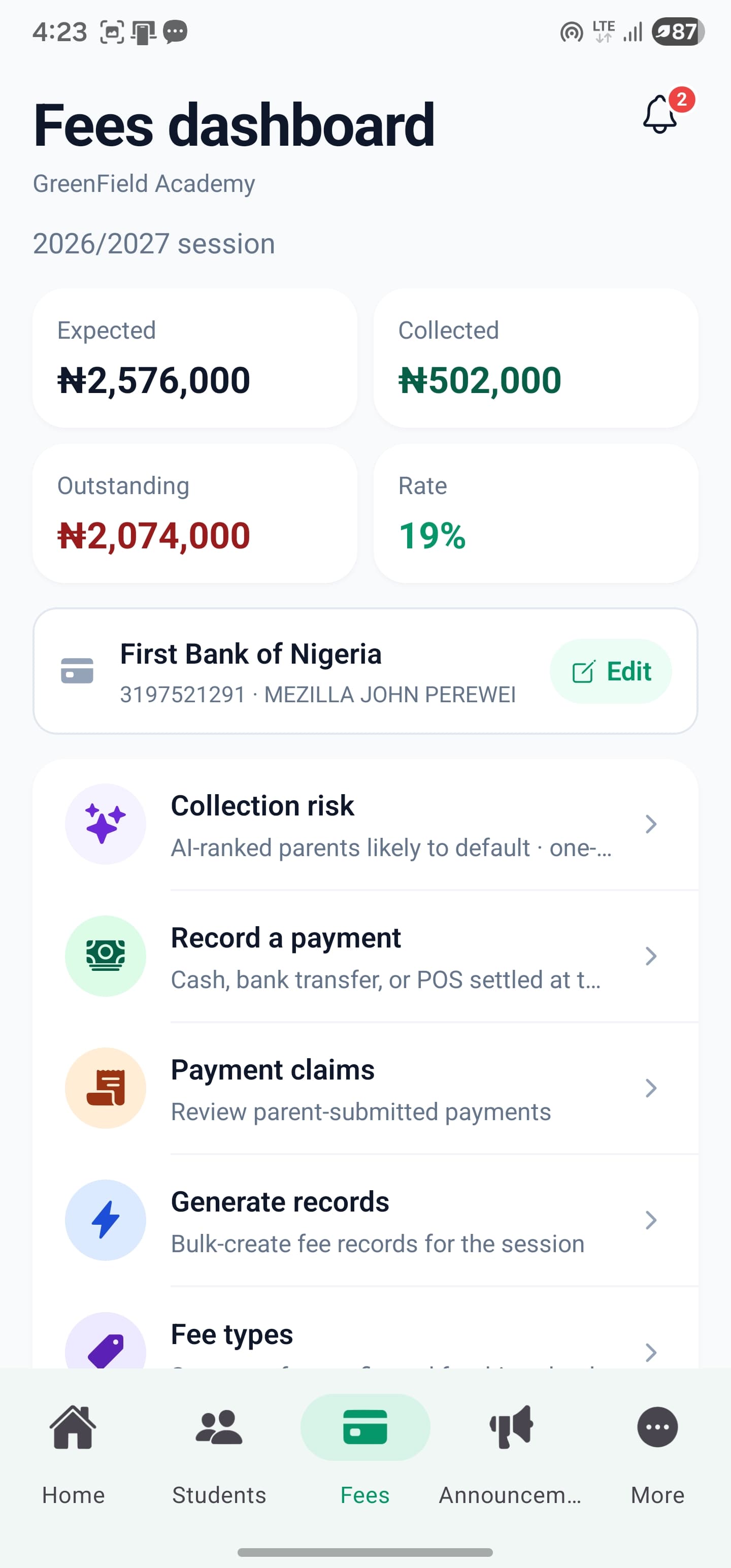
Keep school fee records, verified payments and outstanding balances in one place. SkoolDrive gives administrators and accountants a shared fee-tracking workflow, so they can explain what a student owes without piecing together notebooks and chat messages.
Mobile app + web portal
The everyday challenge
A payment message is not a complete fee record.
A bank alert, a parent’s screenshot and a note in a ledger can tell different parts of the same story. Fee tracking becomes easier when staff can match a payment to the right child and charge, record it once and understand the remaining balance.
A clear way through
Here’s how it works.
- 01
Set up applicable charges
Define fees for the relevant school groups and billing periods. Check which students a charge applies to and confirm the intended frequency before assigning it.
- 02
Record and review payments
Authorised staff record payments and review payment claims or proof submitted through the supported workflow. Verification remains an important staff responsibility.
- 03
Track balances and follow up
Use the fee records to see what remains outstanding and which accounts need attention. Keep receipts and payment history connected to the student’s record.
Built around your work
Track school fees, payments and outstanding balances.
Fee work should not depend on the principal being the only person who can find a record. Administrator and accountant permissions support the finance workflow, while parent access stays tied to the appropriate child.
- Student-level charges and payment history
- Outstanding balances for follow-up
- Role-controlled access to fee operations
The details matter
A payment history you can explain.
When a parent asks about a balance, your team needs more than a paid or unpaid label. Keep recorded payments connected to the relevant charges and review submitted proof through a clear process. Demonstrate that workflow with your accountant during setup.
- Record verified payments against the right charges
- Review submitted proof before accepting a claim
- Separate fee records from subscription billing
A little more clarity
Good questions.
Straight answers.
Have a school-specific requirement?
Talk to our teamCan we use SkoolDrive as a school fee record app?
Yes. Authorised administrators and accountants can use the mobile app or web portal to manage fee records and review balances. Staff still record or verify payments; the app does not replace bank payment confirmation.
Does SkoolDrive collect and automatically reconcile every payment?
No. The current feature supports fee records, payment claims, receipts and balances, with staff recording and verifying payments. School cash wallets and fully automated bank reconciliation are not currently included.
Are fees tracked by term or academic year?
The relevant period depends on how the fee is configured. During setup, confirm the session, term or other supported frequency for each charge rather than treating every fee as the same recurring item.
Can the school accountant use this?
Yes. The accountant role has access to fee management. Access for other roles is controlled by the school’s permissions.
Better connected
The next part of your school’s workflow.
Mobile app
Manage everyday school work from your phone. SkoolDrive’s Android and iPhone app connects results, attendance, fee records and parent communication.
Android + iPhone + companion web portalSchool management
Connect school records, results, attendance, fee tracking and communication in one school management system, with mobile apps and a web portal.
Mobile app + web portalStudent records
Organise student records, classes and guardian links in one school workspace. Manage authorised updates with SkoolDrive on mobile and web.
Mobile app + web portalStart with your school
See what a more connected school day looks like.
Bring your school’s biggest administrative challenge. We’ll walk through the relevant workflow and discuss a practical way to get started.