
School management
School management software for Nigeria. One connected school.
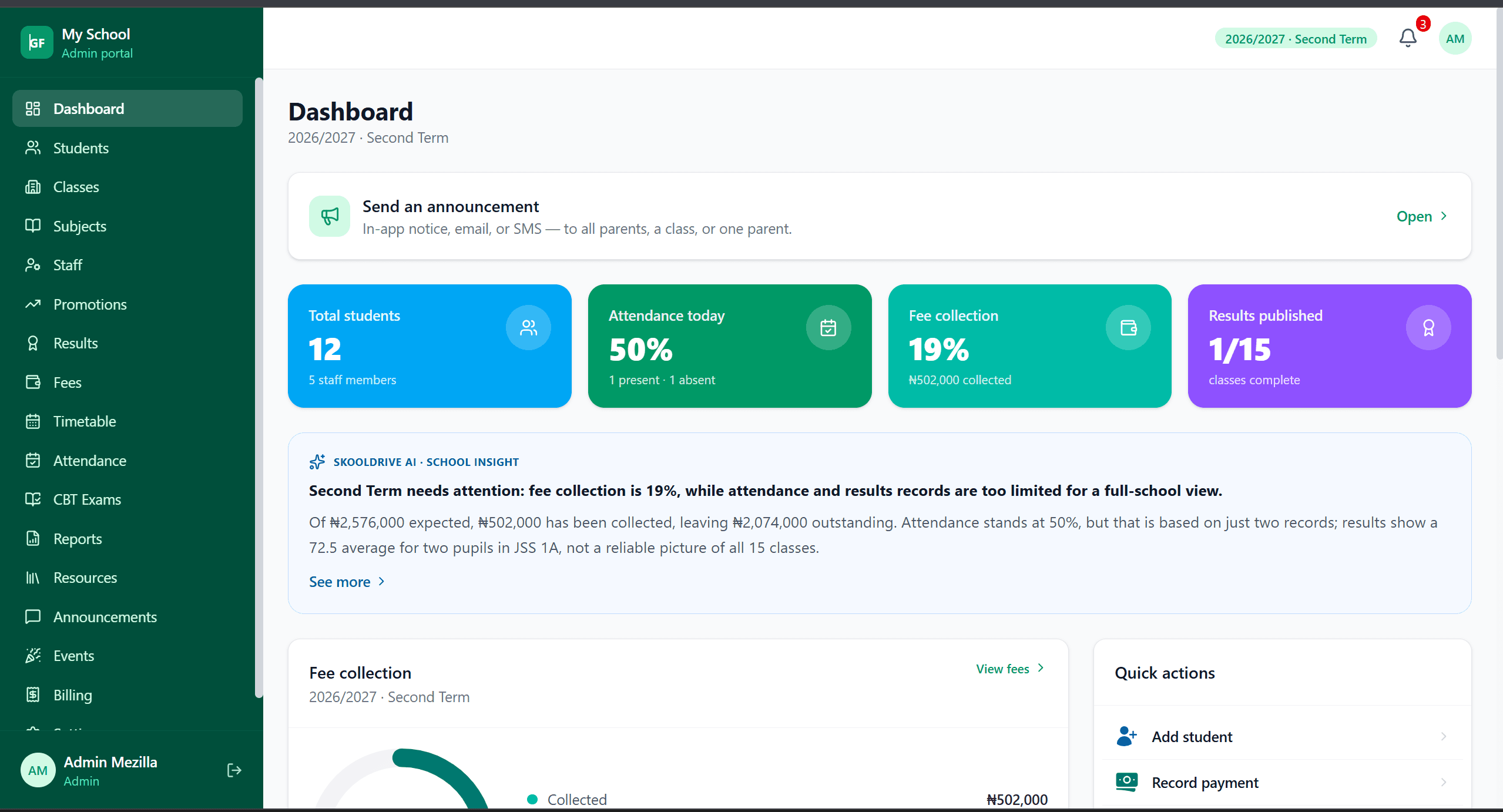
Connect student records, staff, results, attendance and fee tracking in one school management system. SkoolDrive helps Nigerian nursery, primary and secondary schools organise everyday administration through mobile apps and a web portal.
Mobile app + web portal
The everyday challenge
The problem is not one missing spreadsheet.
It is the work between them: updating a child’s class in several places, finding the latest result file or asking who recorded a payment. A connected school system makes those handovers easier to follow.
A clear way through
Here’s how it works.
- 01
Map your school’s structure
Confirm sessions, terms, class groups and subjects. Identify the people responsible for administration, finance, classes and subject teaching.
- 02
Prepare records and access
Add student and staff information, assign responsibilities and link guardians to the right children. Staff self-registration can reduce repeated data entry while keeping school approval in place.
- 03
Start with the work that matters most
Introduce attendance, scores or fee tracking first, then build up to the wider workflow. Use role-specific training and a small practice group before a whole-school rollout.
Built around your work
One platform, with appropriate boundaries.
Connected does not mean everyone can edit everything. Class teachers manage their authorised classes; subject teachers work within their teaching responsibilities; parents see information for explicitly linked children.
- Academic administration and report cards
- Fee records and outstanding balances
- School messages, announcements and events
The details matter
Choose on a working demonstration, not a feature count.
Bring your assessment format, class structure and most time-consuming process to a demo. We can walk through how SkoolDrive fits, explain web-only workflows and identify any requirements that need discussion before onboarding.
- See the workflows your team will actually use
- Confirm plan access and setup requirements
- Agree a realistic rollout sequence
A little more clarity
Good questions.
Straight answers.
Have a school-specific requirement?
Talk to our teamIs SkoolDrive suitable for nursery, primary and secondary schools?
The system supports school class groups, subjects and group-specific assessment settings. Share your school structure during onboarding so the setup and available workflows can be checked against your needs.
Is it only a website?
No. SkoolDrive has Android and iPhone apps plus a web portal. Availability differs by feature; for example, CBT is currently web-based.
Can our school get started immediately after filling a form?
The setup form is an onboarding request. The team reviews your information and coordinates school setup and access; it is not instant self-provisioning.
Better connected
The next part of your school’s workflow.
Results & report cards
Compile CA and exam scores, review student results and publish report cards to parents. School result processing software for Nigerian schools.
Mobile app + web portalFee tracking
Organise school fee charges, record payments, review submitted proof and track outstanding balances. Fee management software for Nigerian schools.
Mobile app + web portalStaff onboarding
Add staff manually or invite them to submit their details for school approval. Organise teacher roles, class responsibilities and subject assignments.
Mobile app + web portalStart with your school
See what a more connected school day looks like.
Bring your school’s biggest administrative challenge. We’ll walk through the relevant workflow and discuss a practical way to get started.